So this morning was out final ICT session. We had the opportunity to create a resource for a lesson using the notebook software and then present this to our peers. I decided upon creating a resource that could be used for the introduction of an RE lesson, my focus was on the festival of Christmas. I retold the story of Christmas using child friendly text and pictures to accompany it. To evaluate the children's understanding of the story I created a number of questions at the end and used the click to reveal tool for the answers. The general feedback from my peers was positive. A good point they raised was to consider the use of different resources available through notebook to make the presentation even more interactive and engaging.
This ICT module has opened my eyes to the plethora of technological resources that are available to use within the classroom. Prior to it beginning I considered myself a proficient user of ICT, little did i know.. some of the tasks proved harder than first thought! Overall I am pleased with my progress and will definately be using a number of these resources in the classroom
In today's ICT session we continued on from last weeks workshop on programming and looked at the opportunities that are available for children to integrate programming into simulation games. Simulation games are an important learning resource for children. Educational gamesand simulations have been found to be
effective in motivating students to learn (Ke, 2008). Simulation games mimic real life and through
them, children are able explore and try out different solutions, testing them
within the game. Simulation games can be used for problem solving, predicting,
planning and learning activities. The various types of simulation games
available to children provide both an enjoyable entertaining
experience, while still being able offer an educational and serious purpose to
them. Through them children are able to gain an understanding of how things
work.
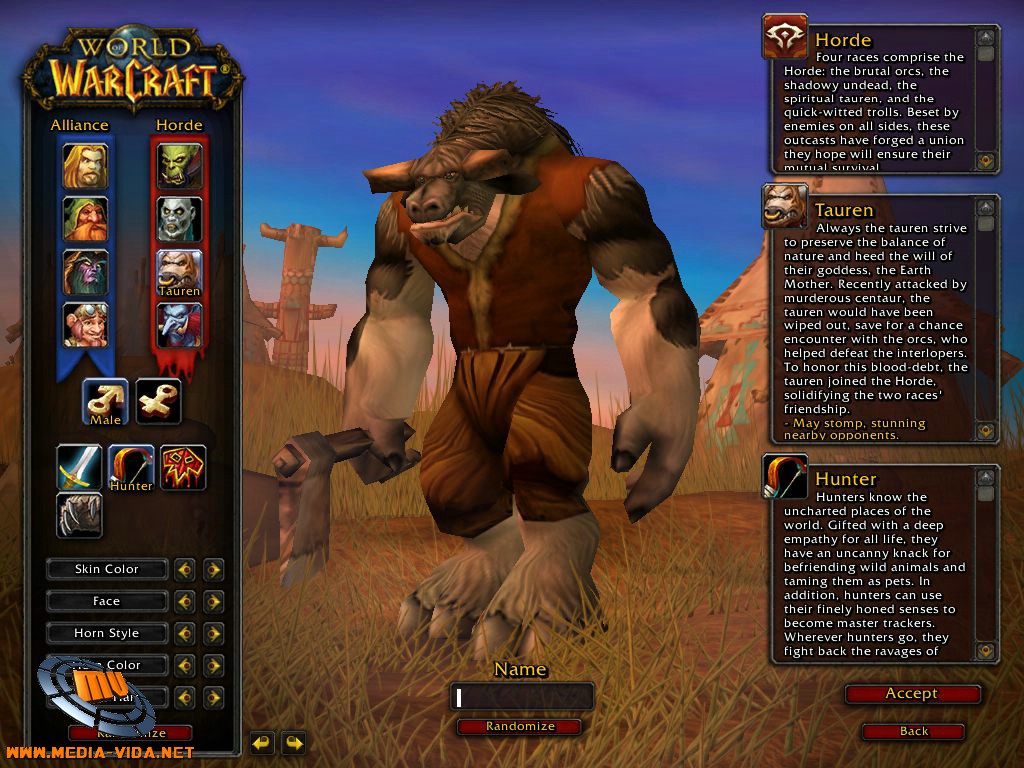
Examples of simulation games include: The Sims, Football Manager and one of the most post popular worldwide, World of Warcraft.
KODU
Kodu lets children create games on the PC
and XBox via a simple visual programming language. Kodu can be used to teach
creativity, problem solving, storytelling, as well as programming. There
are a variety of functions that children need to get to grips with in order to
make their kodu move, shoot things, disappear and change colour. Kodu is a
simulation game that challenges children's computer programming skills and
requires attention to detail, patience and quite often trial and error! My
attempt at designing an environmentally friendly place for the Kodu
to roam can be seen below.
Dance to Advance Dance to advance is another fantastic educational resource that can be used within the classroom. On first glance you would think that its sole purpose is to support dance, however it as a valuable tool with endless cross curricular opportunities. Users are able to play using the dance mat provided, alternatively Dance to Advance can be played using the mouse or keypad. Research suggests that UK learners are some of the unhappiest in Europe and performance suggests that they may be some of the least engaged too. I believe Dance to Advance is a fantastic way to engage children into learning. It gives children the opportunity to learn in a way which they are not always used to. It is a fun and interactive resource which allows children to work in partners (when using the dance mat) and develops the idea of turn taking - an important skill within KS1! In terms of the cross curricular opportunities, Dance to Advance is a simple resource which teachers can use to tailor to different subjects. Activities can be created on any topic using pictures, text and sounds. All it requires you to do is to create a set of questions and corresponding answers which the programme will then turn into an interactive game. I am very much in favour of these pieces of equipment and would love to have a couple in the classroom!
An example of a general knowledge quiz i made using Dance to Advance.
Machinarium This game had me hooked! It is a fantastic adventure game which requires users to explore, reason and problem solve within an imaginary world. Children find games in which they explore "other realms" very intriguing as they become curious and want to find out more. This is a fantastic game which provides numerous opportunities for children to develop a range of skills.
In today's session we had a look at computer programming in a different context to that of the Beebots that we used a few weeks ago. In addition, we had a look at computer modelling and its uses within the classroom. Computer modelling allows children the opportunity to use computers to create a simulation of something whether it be real or fantasy. It is an important resource in the real world, which is used when designing architecture and also within flight simulation.
We had the opportunity to play around with Purplemash, which is a fantastic website for children! There are a number of creative tools, curriculum-focused activities and programs for children to explore. I used the 2design software to design my own car.
Children may also want to try out 2simulate which is a set of guided role-playing and problem-solving simulations. Children need to consider how they would deal with being stuck in these computer simulated situations such as being locked out of your house or stuck in a maze.
Computer Programming and Coding
Logo and Scratch
In the session we also looked at two coding programs Logo and Scratch. Computer coding or programming as mentioned in a previous post, involves telling a computer what to do by giving it commands to which the computer responds. Logo was the first resource we looked at. Children are able to generate basic shapes using a turtle cursor. It is a great resource to use within maths as it also incorporates directional language and requires children to think able angles and the number of degrees required to make a turn.
Scratch was a brilliant resource which i feel could definitely be used within the classroom. Children are able to create stories and develop them using the characters, backgrounds and sounds provided. There are a number of options available to make the characters "come to life" such as making them shuffle, glide and turn. Scratch could provide a number of cross curricular links for teachers especially for English and Drama. You could get children to set the scene to a story using the scratch background options and then get children to continue writing the story. Alternatively you could use the program to develop a drama performance, by creating the scene and movements patterns to be used in the performance.