So this morning was out final ICT session. We had the opportunity to create a resource for a lesson using the notebook software and then present this to our peers. I decided upon creating a resource that could be used for the introduction of an RE lesson, my focus was on the festival of Christmas. I retold the story of Christmas using child friendly text and pictures to accompany it. To evaluate the children's understanding of the story I created a number of questions at the end and used the click to reveal tool for the answers. The general feedback from my peers was positive. A good point they raised was to consider the use of different resources available through notebook to make the presentation even more interactive and engaging.
This ICT module has opened my eyes to the plethora of technological resources that are available to use within the classroom. Prior to it beginning I considered myself a proficient user of ICT, little did i know.. some of the tasks proved harder than first thought! Overall I am pleased with my progress and will definately be using a number of these resources in the classroom
In today's ICT session we continued on from last weeks workshop on programming and looked at the opportunities that are available for children to integrate programming into simulation games. Simulation games are an important learning resource for children. Educational gamesand simulations have been found to be
effective in motivating students to learn (Ke, 2008). Simulation games mimic real life and through
them, children are able explore and try out different solutions, testing them
within the game. Simulation games can be used for problem solving, predicting,
planning and learning activities. The various types of simulation games
available to children provide both an enjoyable entertaining
experience, while still being able offer an educational and serious purpose to
them. Through them children are able to gain an understanding of how things
work.
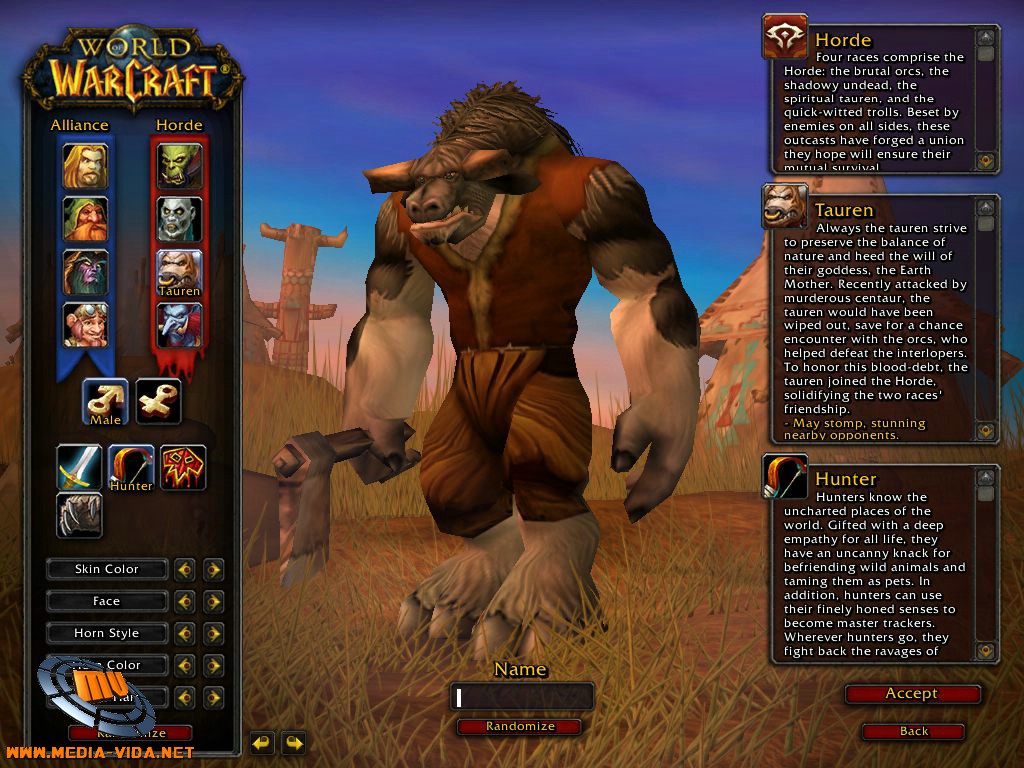
Examples of simulation games include: The Sims, Football Manager and one of the most post popular worldwide, World of Warcraft.
KODU
Kodu lets children create games on the PC
and XBox via a simple visual programming language. Kodu can be used to teach
creativity, problem solving, storytelling, as well as programming. There
are a variety of functions that children need to get to grips with in order to
make their kodu move, shoot things, disappear and change colour. Kodu is a
simulation game that challenges children's computer programming skills and
requires attention to detail, patience and quite often trial and error! My
attempt at designing an environmentally friendly place for the Kodu
to roam can be seen below.
Dance to Advance Dance to advance is another fantastic educational resource that can be used within the classroom. On first glance you would think that its sole purpose is to support dance, however it as a valuable tool with endless cross curricular opportunities. Users are able to play using the dance mat provided, alternatively Dance to Advance can be played using the mouse or keypad. Research suggests that UK learners are some of the unhappiest in Europe and performance suggests that they may be some of the least engaged too. I believe Dance to Advance is a fantastic way to engage children into learning. It gives children the opportunity to learn in a way which they are not always used to. It is a fun and interactive resource which allows children to work in partners (when using the dance mat) and develops the idea of turn taking - an important skill within KS1! In terms of the cross curricular opportunities, Dance to Advance is a simple resource which teachers can use to tailor to different subjects. Activities can be created on any topic using pictures, text and sounds. All it requires you to do is to create a set of questions and corresponding answers which the programme will then turn into an interactive game. I am very much in favour of these pieces of equipment and would love to have a couple in the classroom!
An example of a general knowledge quiz i made using Dance to Advance.
Machinarium This game had me hooked! It is a fantastic adventure game which requires users to explore, reason and problem solve within an imaginary world. Children find games in which they explore "other realms" very intriguing as they become curious and want to find out more. This is a fantastic game which provides numerous opportunities for children to develop a range of skills.
In today's session we had a look at computer programming in a different context to that of the Beebots that we used a few weeks ago. In addition, we had a look at computer modelling and its uses within the classroom. Computer modelling allows children the opportunity to use computers to create a simulation of something whether it be real or fantasy. It is an important resource in the real world, which is used when designing architecture and also within flight simulation.
We had the opportunity to play around with Purplemash, which is a fantastic website for children! There are a number of creative tools, curriculum-focused activities and programs for children to explore. I used the 2design software to design my own car.
Children may also want to try out 2simulate which is a set of guided role-playing and problem-solving simulations. Children need to consider how they would deal with being stuck in these computer simulated situations such as being locked out of your house or stuck in a maze.
Computer Programming and Coding
Logo and Scratch
In the session we also looked at two coding programs Logo and Scratch. Computer coding or programming as mentioned in a previous post, involves telling a computer what to do by giving it commands to which the computer responds. Logo was the first resource we looked at. Children are able to generate basic shapes using a turtle cursor. It is a great resource to use within maths as it also incorporates directional language and requires children to think able angles and the number of degrees required to make a turn.
Scratch was a brilliant resource which i feel could definitely be used within the classroom. Children are able to create stories and develop them using the characters, backgrounds and sounds provided. There are a number of options available to make the characters "come to life" such as making them shuffle, glide and turn. Scratch could provide a number of cross curricular links for teachers especially for English and Drama. You could get children to set the scene to a story using the scratch background options and then get children to continue writing the story. Alternatively you could use the program to develop a drama performance, by creating the scene and movements patterns to be used in the performance.
Today's ICT session focused on the various methods of technology available to schools and the benefits that they provide. We had the opportunity to test a number of different pieces of equipment which I'll reflect upon further within this post. Lets begin by considering the benefits of using different pieces of technology such as the IWB, Ipod or digital camera. They all provide an opportunity for discussion and instant feedback, whether it be through discussion and interaction using the IWB to write upon or through dialogue about how useful the digital camera was as part of a lesson. Below are a number of pieces of technology looked at in more detail:
iPods
iPods are portable devices used for storing and playing digital media files. There are several variations of iPods that are different sizes, have different purposes and use different technologies. For example, some smaller versions are mainly for playing music files through headphones. Other versions have video screens and can play movie files. iPods can be used in a variety of ways within the classroom:
Creating and listening to podcasts
learning a new language
I think that iPods are a good tool which can be integrated into children's learning. There are 1000's of free apps available to accompany different lessons. They can be used for group reading activities by purchasing a headphone splitter to allow five or six children access to the same iPod. The ease and speed of use also make iPods a great choice for the classroom.
Interactive Photo Albums
Today is the first time i have across the interactive photo album. I am sceptical about how successful these photo albums could be within the classroom. I feel there are a number of other resources you could you which would be better suited. Having said that, the interactive photo album does still offer some positives:
Producing a photo series from a school trip.
Visual story books for literacy.
Phonics - produce a number of different pictures associated with a particular phoneme.
Talk Time Cards
These are like a mini interactive whiteboard. They can be written on and then using the recording facility this information can be made verbal. These are a good resource to use with EAL children and SEN children where you are able to write in large print and support this with audio.
Below is a short clip of our group using the talk time card.
Podcasts
Following on from what was mentioned about iPods, podcasts are a brilliant of developing speaking and listening within the classroom. A podcast is similar to a radio show, however instead of broadcasting live, a podcast is recorded and then distributed onto the internet at a later time. There a number of schools who now have their own podcasts, a number of which can be seen here. In order to create a podcast, users need to download specific software in order to be able to synchronize the content to their media players. A great programme to use is Audacity which is free to download. It allows children record, edit and export their work as a WAV or MP3 file. Within my own teaching i am definitely going to integrate the use of podcasts across a number of lessons, especially within group work. Digital Cameras and Videos Digital cameras and videos are often considered too "expensive" and too "delicate" to use in schools. Nowadays there are lots of different hard-wearing models available. Two models that we used today were the "Digital 'Blue" camera and the "'Tuff Cam 2" used for digital video. These can be used with Photo Story 3 software, which allows users to make short videos using digital photos and images, create a voice-over and add a music track. In terms of speaking and listening these pieces of equipment can be used to generate discussion, encourage group working and can be used for drama activities. My group had a go at using the Tuff Cam 2, below is a video we made on our travels around campus.
Developments in computer hardware has allowed ICT to blossom in the classroom. Equipment such as the digital microscope and webcam are now common place in most primary schools. Without a computer, many of these brilliant pieces of equipment simply would not function. Computers control these various pieces of technology and give them their functionality.
What is Computer Control?
Computers are used to control many types of devices such as robots. They are controlled by inputting a set of instructions (programming) which tell them what to do. There are a number of appliances and devices both inside the home and outside of the home which use computer control. Some are listed in the table below:
Inside the Home
Outside the Home
Washing Machine
Cooker
Central Heating
Microwave
Sky TV
Burglar Alarm
Telephone
Traffic Lights
Pelican Crossings
CCTV Cameras
Cash Machines
Aeroplanes - Autopilot
Car park barriers
Why use Computers to Control Things?
Computers are used because:
They are consistent- they can repeat the same process over and over again.
Never get tired.
Doesn't lose concentration.
Doesn't make mistakes.
Cheaper to employ than humans.
What is used in KS1 and KS2?
The Bee-Bot is a programmable floor robot aimed
at Early Years and KS1. Children are able to input
instructions using the four operational keys on top. The
Bee-Bot is able to move forwards and backwards as
well as through 90 degrees. It has the ability to remember up to
40 instructions/steps entered by the user.
Bee-Bot Curricular Links Numeracy
What is Computer Monitoring?
Computer monitoring involves the use of sensors for two main purposes:
As a scientific measuring tool to record information about environmental changes over a period of time (data logging).
To provide feedback for a control system
You can find sensors in things such as central heating, street lights, security lights and supermarket freezers.
What is used in KS1 and KS2?
The Log Box data logger has a number of functions.
The built in sensors allow children to measure
temperature, light and sound. Recordings are easy
to download straight to the computer. Data can be displayed
in graph, bar chart, chart or table formats.
My Reflection
I had an opportunity to take the Log Box out on a journey around campus this morning... exciting stuff i know! The Log Box is a useful piece of kit in terms of its cross curricular flexibility. Its functions allow it to fit within a number of subjects and can accompany various lesson plans. There are opportunities to use it in maths by interpreting the data represented via the Log box software. It can support children's learning in science, by allowing them to carry out experiments regarding temperature, light and sound. Furthermore it allows children to develop their skills using ICT! Children become familiar with downloading data straight from the data logger on to the computer desktop as well as choosing different formats in which they are able to display the data (charts, bar graphs, line graphs).
Another extremely
useful and interactive ICT session this morning. The focus
of today's workshop was all about the importance and effectiveness of
the interactive whiteboard. It was also an opportunity to have a go
ourselves. For those who are unaware, an interactive whiteboard is a
touch-sensitive screen that works in conjunction with a computer and projector.
Educators were the first people to recognize the interactive whiteboard's
potential as a tool for improving student learning.
How can
an interactive whiteboard be
used in a
learning environment?
Learning
activities with the interactive whiteboard may include:
Manipulating text and images
Visiting websites as a group
Showcasing student
presentations
Writing notes over
educational clips
Demonstrating or using
software at the front of a room without being tied to a computer
Research in the UK suggests a positive correlation between
interactive whiteboards as a teaching resource and
student attainment. Ball (2003) highlights the increased potential
for teachers to concentrate on student responses during a lesson when an
interactive whiteboard is used.
Teachers need to make a number of considerations before installing their
interactive whiteboards, such as :
Height - Are young children able to reach the whiteboard easily? Do they need a step?
Positioning - Is the whiteboard positioned in such a way that it is not affected by the sun beaming onto it from outside?
Visibility - Can everyone in the class see the whiteboard clearly?
First workshop of ict complete! I'm now a competent blogger....i wish! The next nine months this blog will be filled with loads of interesting information and personal reflections from the PGCE course and lots more. As i become more confident with my blog, i'll try to upload some pictures and videos to give everyone an insight into the PGCE course.